
Use Cases
File server replacement
Egnyte’s cloud file server consolidates content repositories and moves your teams away from VPNs and on premises servers. Enable secure collaboration, robust governance and powerful intelligence features.
IMPACT
75%
of Egnyte users collaborate on cloud content from their desktop.
16 hrs
of time saved per week with Egnyte.
40%
faster execution on complex projects involving massive files.
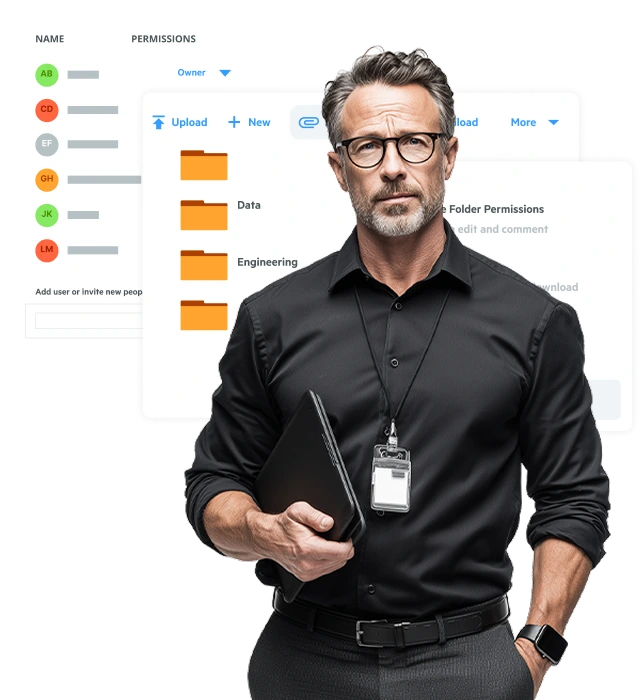
22,000+ customers across 112 countries










Why leading organizations choose the Egnyte cloud file server

A Truly Unified Repository
Unify all disjointed repositories, on premises and in the cloud, under one roof with an easy-to-use UI and a familiar folder/subfolder layout backed by intelligence features and rich governance.

Industry Use Case Compatibility
Bring complex files and projects from industry specific applications like AutoCAD, Revit, Civil 3D, Adobe Premiere Pro, and more out of their desktop silos and into the flexibility and security of the cloud.

Streamlined Desktop Work
Utilize a familiar drive letter experience on Windows or a mounted drive on Mac to seamlessly connect desktop-based projects with the benefits of the cloud without compromising project quality.

Enterprise-Grade Security and Compliance Support
Benefit from secure sharing with end-to-end encryption, visibility into all repositories for unified governance, and automated compliance frameworks for GDPR, HIPAA, and other industry specific frameworks.
Essential extensibility on-premises servers can’t deliver
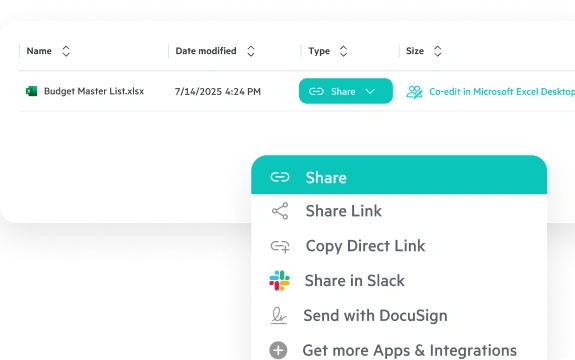
Secure File Sharing and Co-Editing
Collaborate on mission critical content with secure sharing for all content in Egnyte from the browser, on a phone/tablet, or from the desktop. Access and collaborate on files from a variety of applications right from a locally mounted Mac drive or from a mounted drive letter on a Windows machine. Leverage seamless co-editing support in M365 (browser or desktop) and Google Workspace applications for streamlined execution.
Learn MoreMassive File Handling
Collaborate on files of all sizes, including files in the gigabyte and beyond range and files that aren’t traditionally compatible with cloud-based sharing. Ensure optimal performance and reduced content sprawl while handling massive files with Adaptive Block Caching.
Explore AEC solutionsIntelligent Workflow Automation
Reduce time spent chasing down approvals, reviews, and signatures for critical projects. Leverage e-signature and PDF markups directly within Egnyte, and automate document collections, reminders, and progress tracking to execute faster. Leverage a growing suite of AI functionality to speed up execution, automate tasks, and reduce manual work.
Explore AEC solutionsCentralized Content Governance
Improve your organization’s security posture by centralizing content governance work under one unified repository. Leverage a variety of views and controls to protect against ransomware, facilitate issue remediations, and ensure compliance, all from the same roof. Unify data governance across all repositories, including third-party cloud and on-premises data stores.
Explore AEC solutionsWhat our customers say

Choate Construction Renders Traditional IT Hardware An Afterthought With Egnyte
Transitioning from on-premises and AWS infrastructure to a new Egnyte-enabled environment provides greater flexibility and scalability.
Why Choate Construction chose Egnyte:
- Reduced latency issues
- Mobile access and sharing
- Centralized permission control
"Our users love Egnyte, particularly the mobile app. If they're traveling or on site and there's a scope question, they can easily check documents in Egnyte without walking back to a laptop or an office."


How MOMA Therapeutics Strengthens CRO Collaboration Through Smarter IT
Since implementing Egnyte’s cloud-hosted file management system, outsourcing has been more secure and efficient.
MOMA Therapeutics wins with Egnyte:
- 16 lab instruments feeding data directly into Egnyte
- Smoother and more secure CRO collaboration
- Large reduction in support tickets
“If there’s a CRO doing assay screening for us and we want to get their raw data files, they just drop them into the proper folder. Their scientists can log into Egnyte and upload the content, and we can immediately see it.”


Carson Group Centralizes Content Management for Stronger Collaboration and Governance
By integrating Egnyte and Salesforce, the RIA established a single source of truth for full data control and seamless collaboration.
Key features and benefits of Egnyte:
- Seamless integration with Salesforce
- Strong security and governance
- Efficient internal and external file sharing
“Egnyte adds confidence to our process. It makes things much more efficient because you know you’ve got access set up the way you need to.”


Wyanoke Group Boosts Data Security and Efficiency in the Cloud
After switching to Egnyte’s cloud-hosted file server, the firm streamlined workflows and made file sharing more secure.
Major cloud benefits for Wyanoke's IT team:
- 60% fewer backup-related support tickets
- 25% time savings from no longer maintaining on-premises servers
- 30% acceleration in provisioning employee file access
“Egnyte adds confidence to our process. It makes things much more efficient because you know you’ve got access set up the way you need to.”

Built for industries that depend on complex content

Architecture, Engineering, And Construction
Unify document management and control for architecture, engineering and construction projects.
Explore AEC
Life Sciences
Streamline regulatory submissions, secure sensitive data, and automate workflows and compliance.
Explore Life Sciences
Financial Services
Unify due diligence, automate compliance, integrate legacy systems, and boost operational efficiency.
Explore Financial Services
Media and Entertainment
Reduce on-premise server dependency and accelerate execution on creative projects of all sizes.
Explore Media And Entertainment“Egnyte checked all the boxes. It performed well, was extremely scalable, and had a great, feature-rich user interface.”

Edward Mielcarek Managing Director, IT Operations • Clearstead
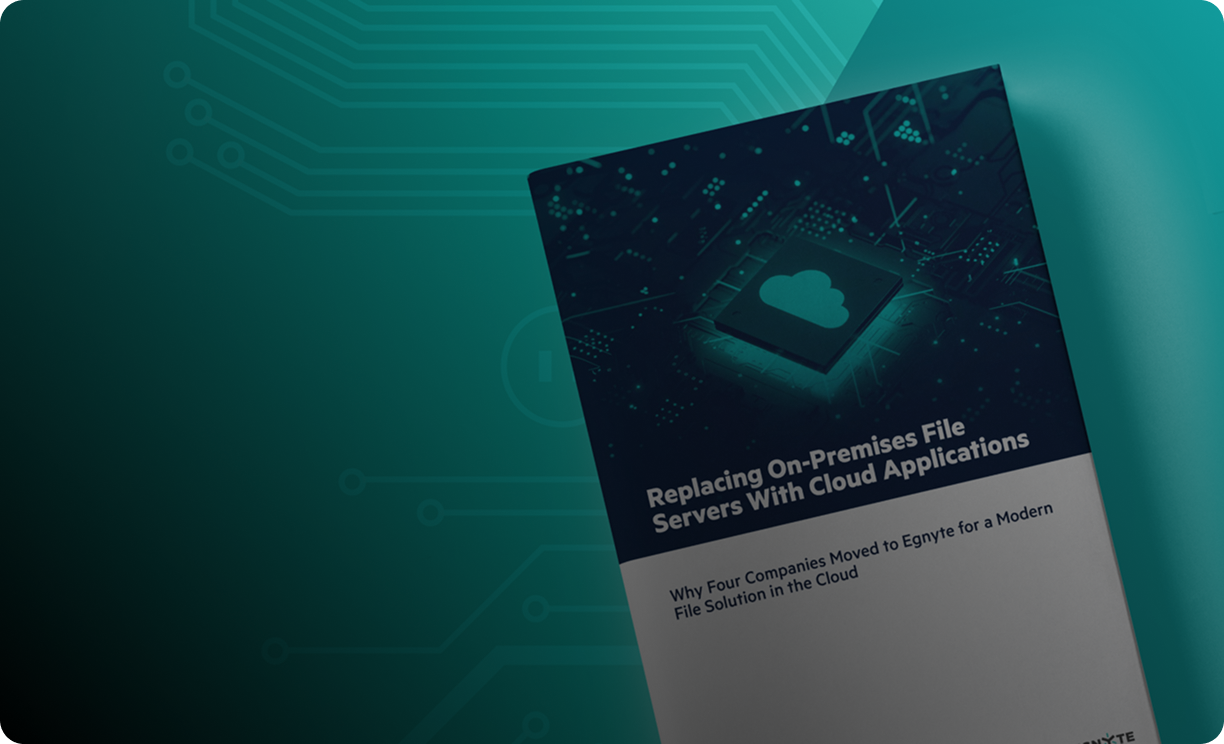



Speak with an Egnyte specialist today
Ready to improve productivity? Egnyte’s AI-powered cloud enhances collaboration, automates workflows, and secures your mission-critical content.
Join 22,000+ organizations that trust Egnyte to enhance productivity, improve collaboration, and protect critical data, delivering immediate efficiency gains and providing a faster, smarter, and more secure way to manage content.
Support & Training Options:
- Professional services accelerate adoption, integrations, and compliance readiness.
- Free learning hub empowers users with training and tips.
- 24x7 expert support ensuring your success every step.
- Rapid troubleshooting and help for critical business needs.
Frequently Asked Questions
Have more questions? Check out our complete FAQs in the Help Desk, or contact Sales to get the answer you're looking for.
What is a cloud file server and how does it differ from a traditional file server?
A cloud file server is a virtual file storage and sharing platform hosted in the cloud, offering secure access to files over the internet from any device or location. Unlike traditional on-premises file servers, cloud file servers eliminate the need for local hardware and VPN, simplify maintenance, and provide built-in scalability, redundancy, and remote access capabilities. They support modern collaboration and integrate easily with cloud-based tools.
Is it possible to work in a cloud file server using desktop applications?
Yes. It’s possible to use desktop versions of applications to work with content directly in the cloud. Many industry-specific applications only exist on the desktop, such as Adobe, Autodesk, Bentley, Esri, and more. To these applications, a cloud file server looks just like a local drive, accessed via a mapped drive on Windows or a mounted drive in macOS. A cloud file server can support working with these applications in the cloud, just like an on-premises file server.
How can cloud-based file management reduce IT overhead compared to traditional file servers and NAS systems?
Cloud-based file management eliminates the need for physical server maintenance, hardware upgrades, and manual backups. IT teams no longer have to manage complex network storage or VPN access. Instead, they gain centralized administration, automated versioning, disaster recovery, and reduced capital expenses. This allows IT resources to focus on strategic initiatives rather than infrastructure upkeep.
How does a cloud file server enable secure file access from any location or device?
A cloud file server supports secure remote access via encrypted connections (TLS/SSL), multi-factor authentication (MFA), and role-based permissions. Users can access files through desktop apps, mobile apps, and web interfaces, all governed by corporate access policies. Users can control who can view, edit, or share their content, ensuring consistent data protection across devices.
How do cloud file servers improve collaboration across distributed teams?
Cloud file servers enable real-time file access, version control, and secure sharing for both internal teams and external partners. Team members can collaborate on documents simultaneously, access the latest versions, and share files securely with flexible permissions. Cloud-based collaboration removes location barriers, enhances productivity, and supports hybrid and remote work environments.